

About This Guide
This guide provides step-by-step instructions for building an autonomous AI-powered news monitoring workflow using the DigitalBPM platform.
Instead of manually searching for industry news, reviewing multiple sources, and creating social media updates, you will build a workflow that:
- Retrieves the latest news articles in a selected niche using Exa AI.
- Monitors global news sources automatically on a predefined schedule.
- Analyzes content via an AI Agent powered by Gemini AI to identify key trends.
- Selects the single most important tech story from the latest updates.
- Generates a ready-to-publish marketing post in a professional yet engaging tone.
- Enhances visibility by automatically adding relevant, targeted hashtags.
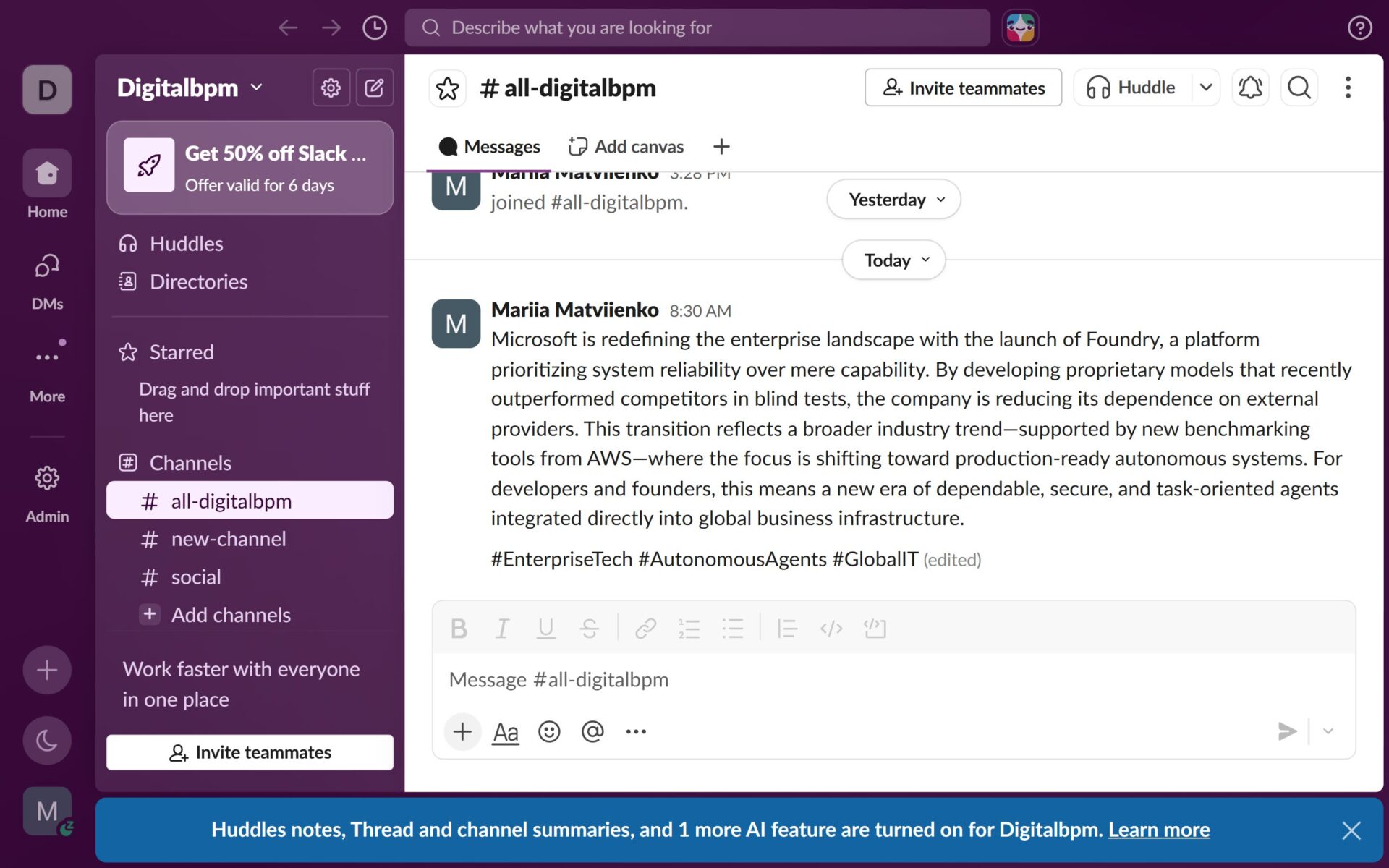
- Distributes the generated content directly to a Telegram group and Slack channel simultaneously.
By the end of this guide, you will have a fully functional AI News Agent, keeping your channels active and your audience engaged without any manual intervention.
Who Is This Guide For?
This guide is for anyone looking to automate news monitoring, content creation, and content distribution.
It is particularly useful for marketers, content creators, social media managers, startup founders, consultants, and business teams who need to stay informed about industry developments and quickly transform breaking news into engaging marketing content.
Whether you want to monitor trends in AI, technology, finance, healthcare, cybersecurity, or any other niche, this workflow helps streamline the entire process—from news discovery and AI-powered analysis to content generation and automated delivery through Telegram and Slack.
Before you start building your AI assistant, ensure you have the following ready:
- A DigitalBPM account.
- A Telegram account and bot. If you haven’t created a bot yet, follow our guide — How to Register a Chatbot in Telegram — a perfect starting point if you’re searching how to make a Telegram bot.
- A Slack account and channel.
- An Exa AI account with API access.
- A Gemini AI account with API access.
If you’re ready, let’s get started!
Step 1: Create a New Workflow and Trigger Block
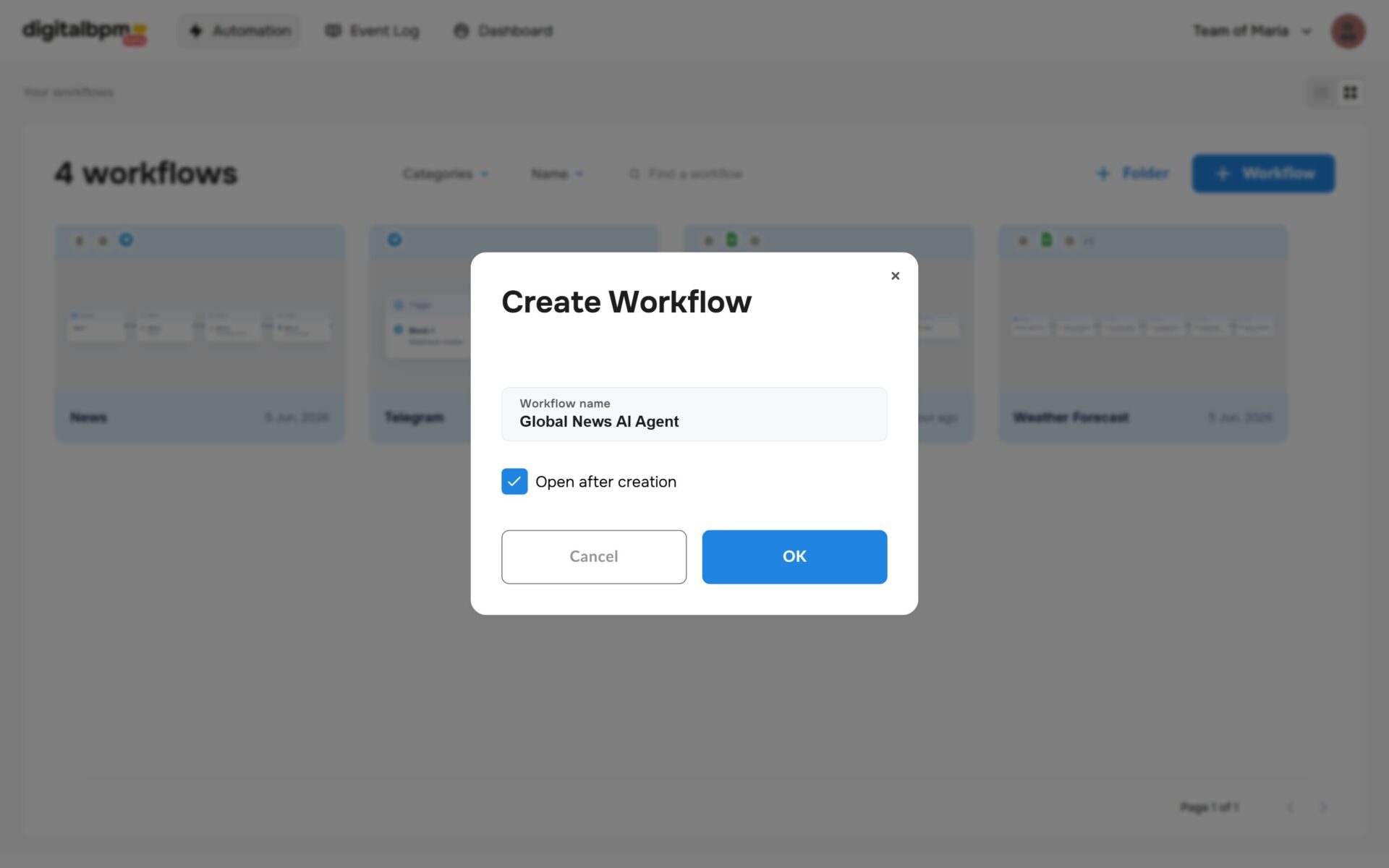
1. The first thing you need to do is to sign in to your DigitalBPM account and click on the “+ Workflow” button on the “Automation” page. Next, you need to enter a name for your workflow, for example, “Global News AI Agent” and click “OK“.
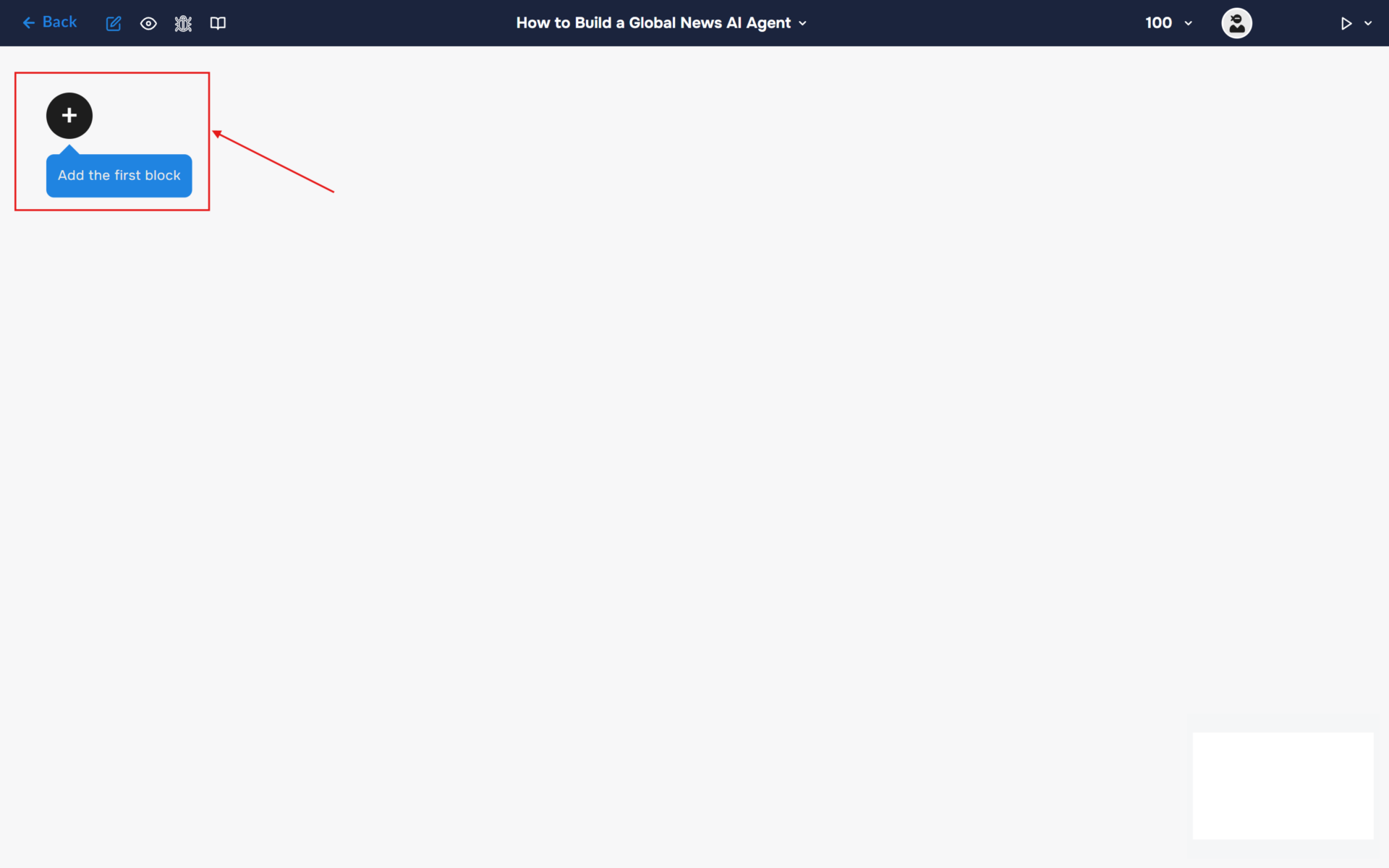
2. After confirming the creation of a workflow, its builder opens. To add the first block, click the “+ Add first block” button.
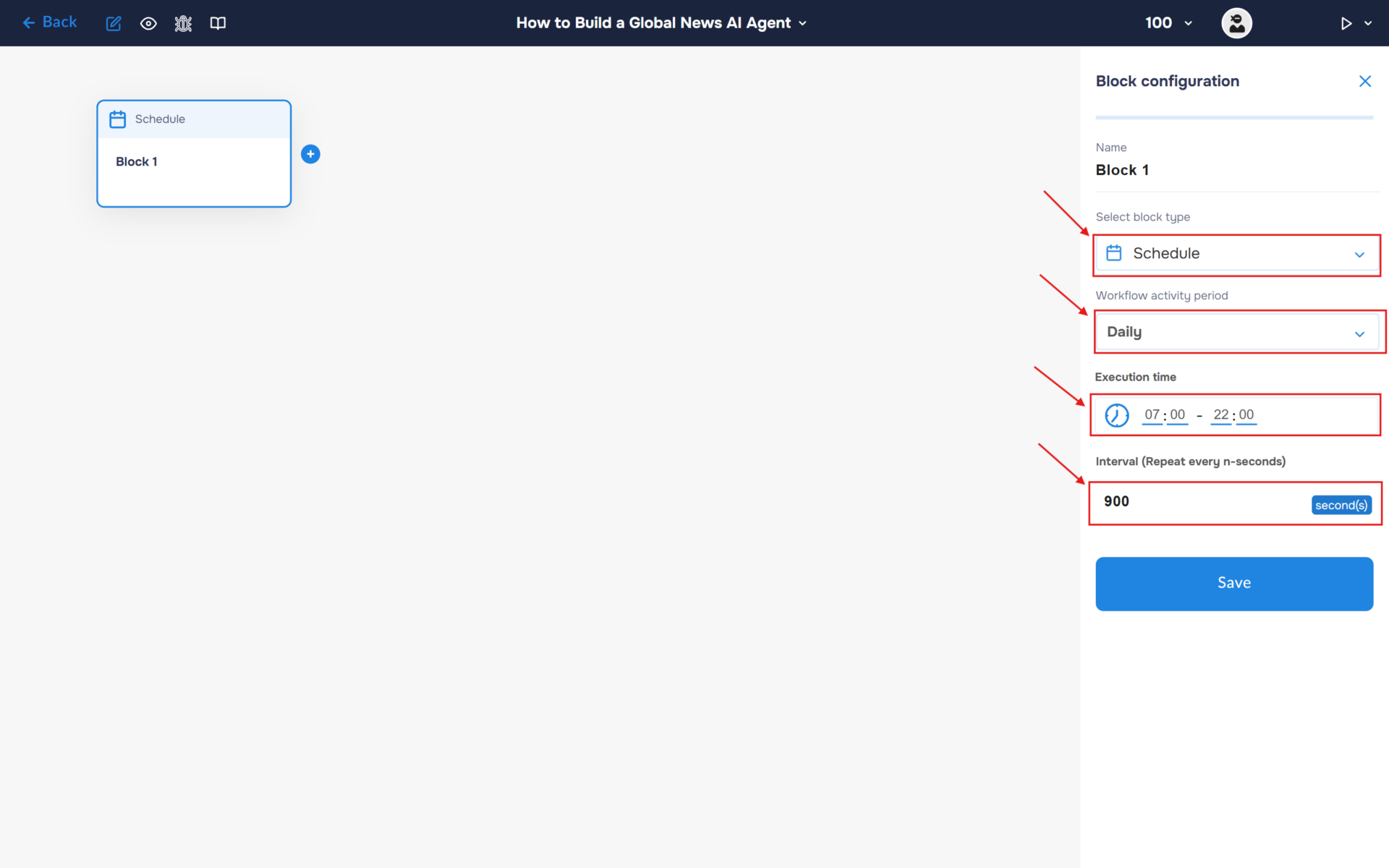
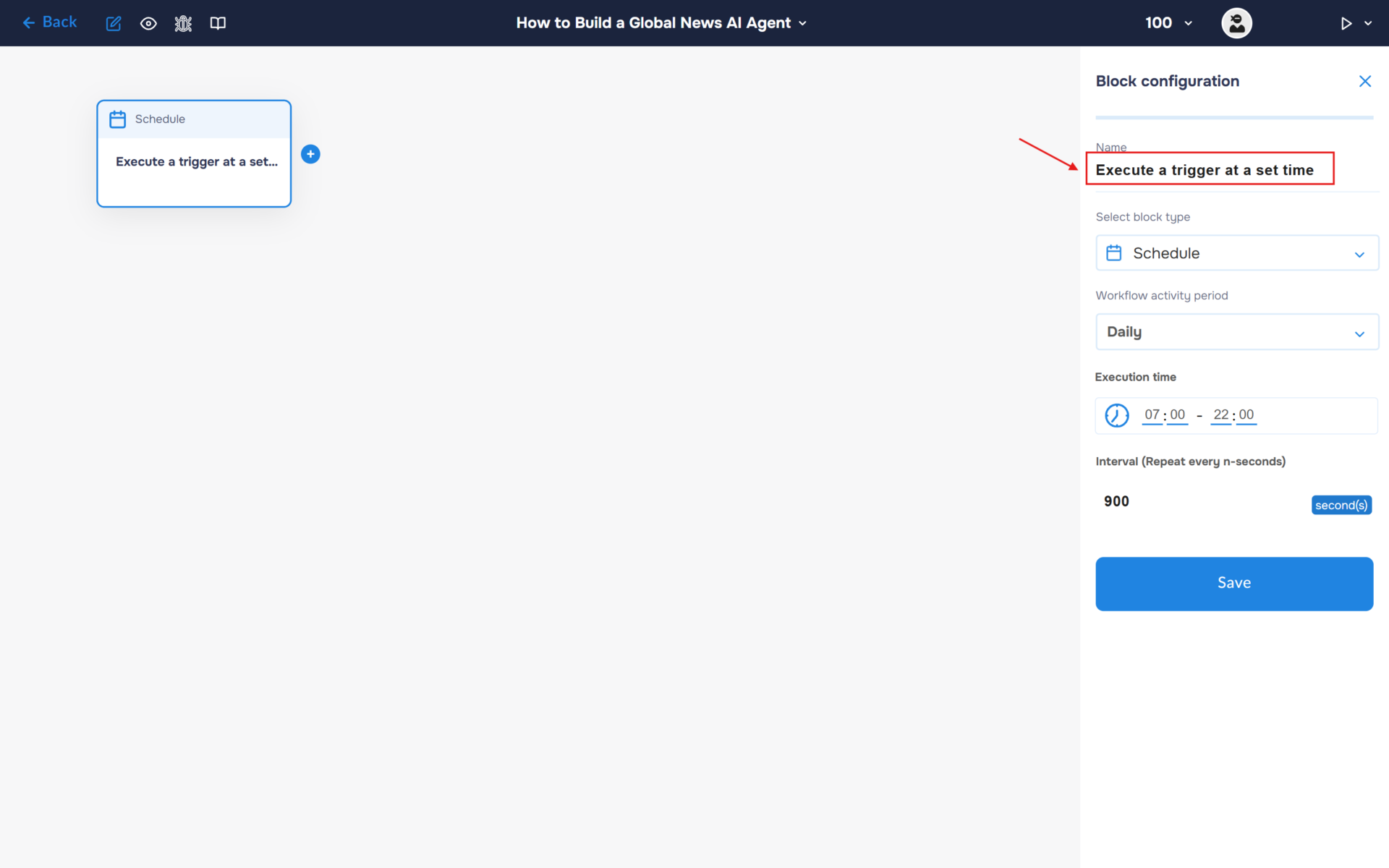
3. Next, you need to configure the first block. This block is responsible for triggering the workflow on a set schedule. To do this, click on the block to open the “Block Configuration” panel, and select the block type “Schedule”.
The workflow activation period is set to Daily by default. Set your preferred execution schedule. In this example, the workflow will run every 15 minutes between 7:00 AM and 10:00 PM each day. Since the interval is specified in seconds, enter 900 seconds (15 × 60) in the corresponding field. Save the settings by clicking the “Save” button.
4. Click on the “Name” field and fill in a clear name for what happens in the block, for example, “Execute a trigger at a set time”. With this step, you can quickly find out what the block is for.
Step 2: Integrate Exa AI for News Discovery
1. We will use Exa AI to scan the web and collect the most relevant high-quality tech articles.
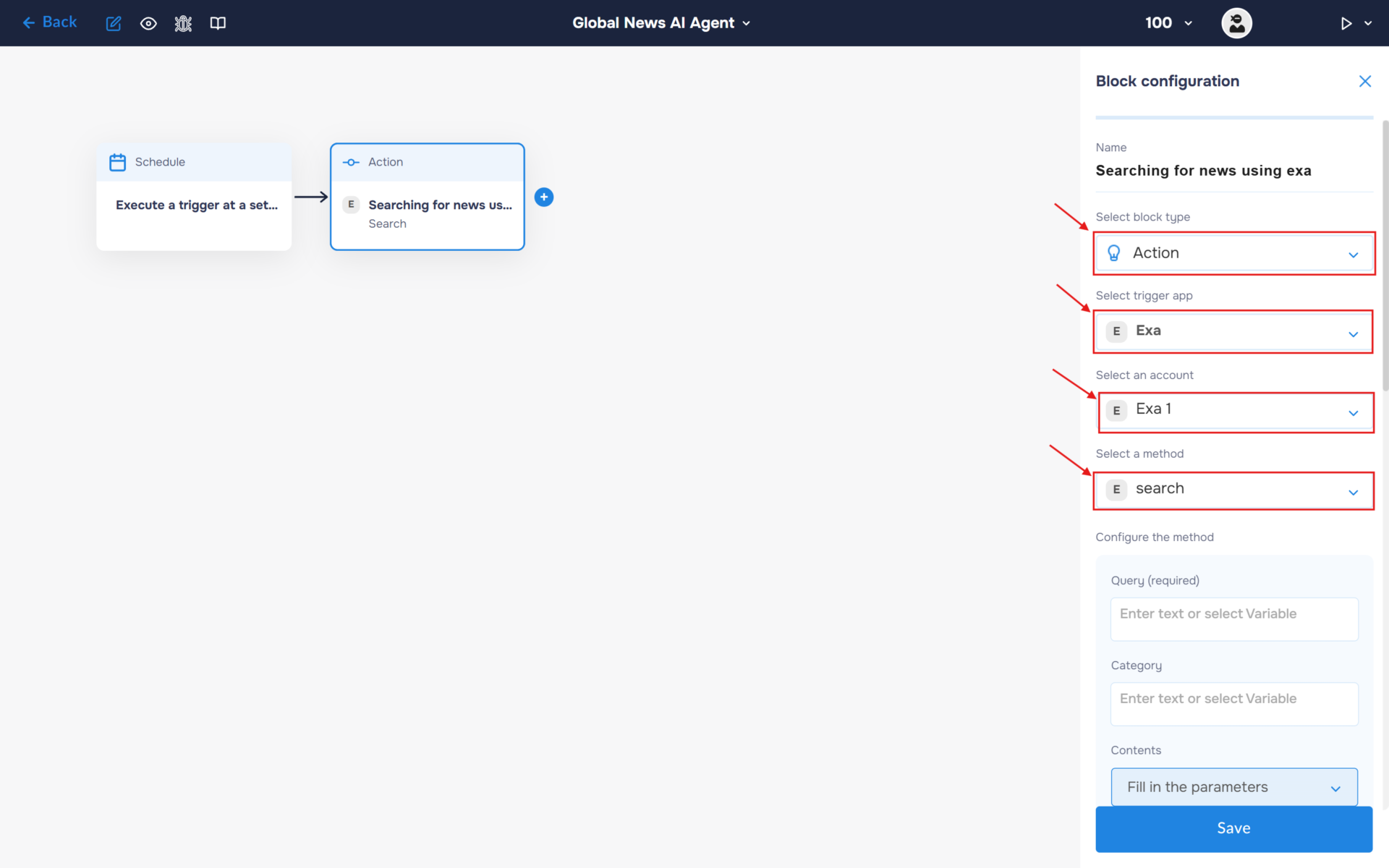
- In the “Block Configuration“ panel, click on the “Select block type“ field and select the “Action” type.
- Next, you need to add Exa service by clicking on the field “Select trigger app“; find and select Exa.
- To connect to Exa, you need to create an authorisation. Click on the “Sign in“ button in the “Select an account“ section.
- After clicking the button, a window for creating a new Exa authorization will open. Enter a name for the authorization, provide the required credentials, and save the connection.
- If the authorization is successful, the created authorization will appear in the “Select an account” field. You need to select this authorization to configure the next steps of the block.
- The next step is to select a method, so click on the “Select a method“. Find and select the “search” method.
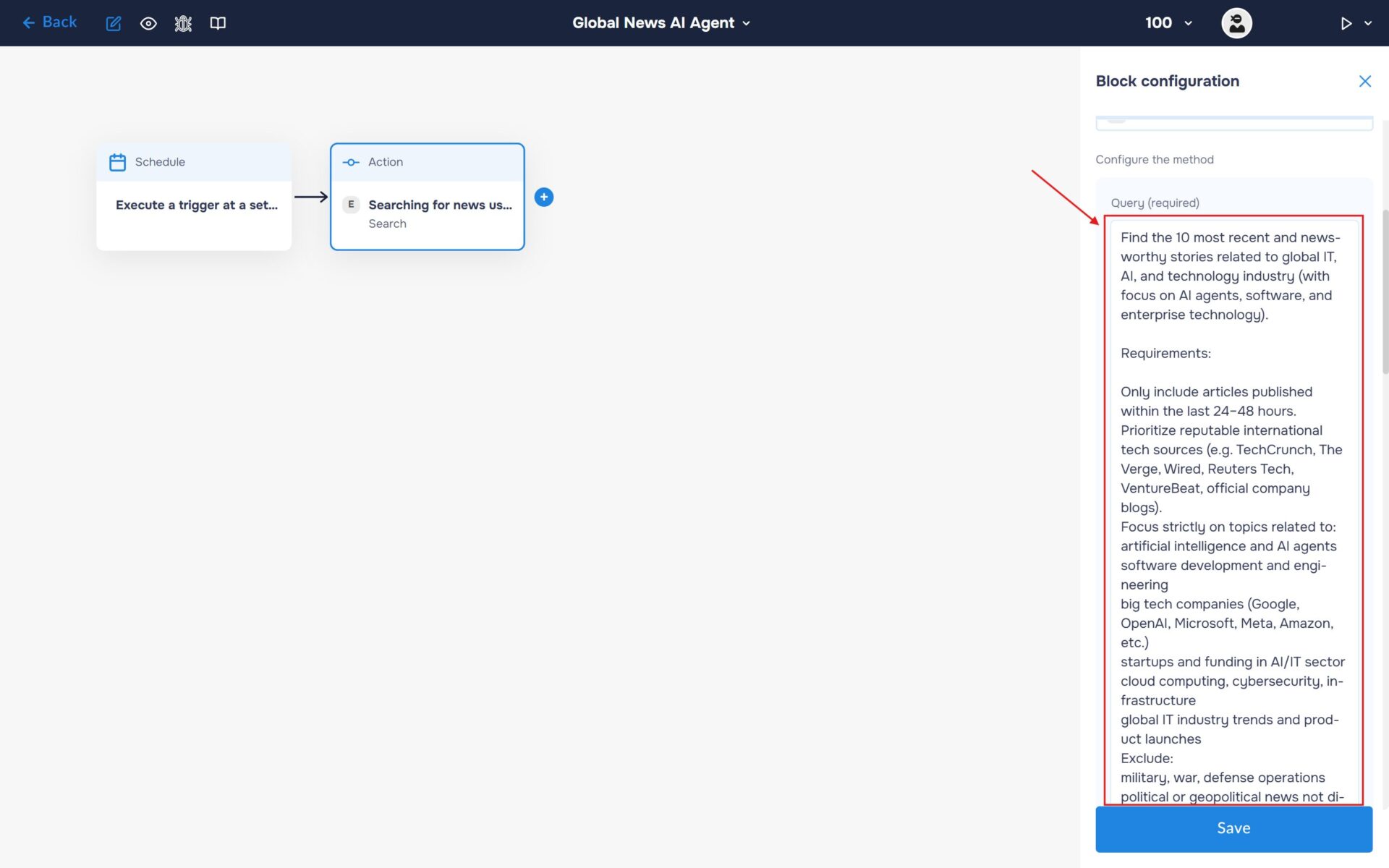
2. Navigate to the “Configure the Method” section. Enter your Exa prompt in the “Query” field to define the topics, sources, and filtering criteria for the news search.
🔧 Default Prompt:
Find the 10 most recent and newsworthy stories related to global IT, AI, and technology industry (with focus on AI agents, software, and enterprise technology).
Requirements:
Only include articles published within the last 24–48 hours.
Prioritize reputable international tech sources (e.g. TechCrunch, The Verge, Wired, Reuters Tech, VentureBeat, official company blogs).
Focus strictly on topics related to:
artificial intelligence and AI agents
software development and engineering
big tech companies (Google, OpenAI, Microsoft, Meta, Amazon, etc.)
startups and funding in AI/IT sector
cloud computing, cybersecurity, infrastructure
global IT industry trends and product launches
Exclude:
military, war, defense operations
political or geopolitical news not directly related to technology
opinion pieces, editorials, and analysis columns
local minor tech events without global relevance
duplicated coverage of the same story
For each news item provide:
Headline
Publication date and time
Source
URL
2-3 sentence neutral summary
Additional rules:
Sort results by publication time (newest first)
Return exactly 10 items
If fewer than 10 high-quality IT-related articles are available in the time window, return only relevant ones (do not fill gaps with low-quality or unrelated content)
Search query intent:
“Latest global AI and IT news today”
💡Tip: You can change the “Query” and filters to monitor other niches like Healthcare, Finance, or Crypto.
Step 3: Integrate Gemini AI for Content Analysis and Copywriting
1. Next, process the collected news articles using Gemini. The AI will analyze the retrieved stories, identify the most important developments, and generate a final marketing-style post that will be distributed to Telegram and Slack.
- In the “Block Configuration“ panel, click on the “Select block type“ field and select the “Action” type.
- Next, you need to add Gemini service by clicking on the field “Select trigger app“; find and select “Gemini“.
- To connect to Gemini, you need to create an authorisation. Click on the “Sign in“ button in the “Select an account“ section.
- After clicking the button, a window for creating a new Gemini authorization will open. Enter a name for the authorization, provide the required credentials, and save the connection.
- If the authorization is successful, the created authorization will appear in the “Select an account” field. You need to select this authorization to configure the next steps of the block.
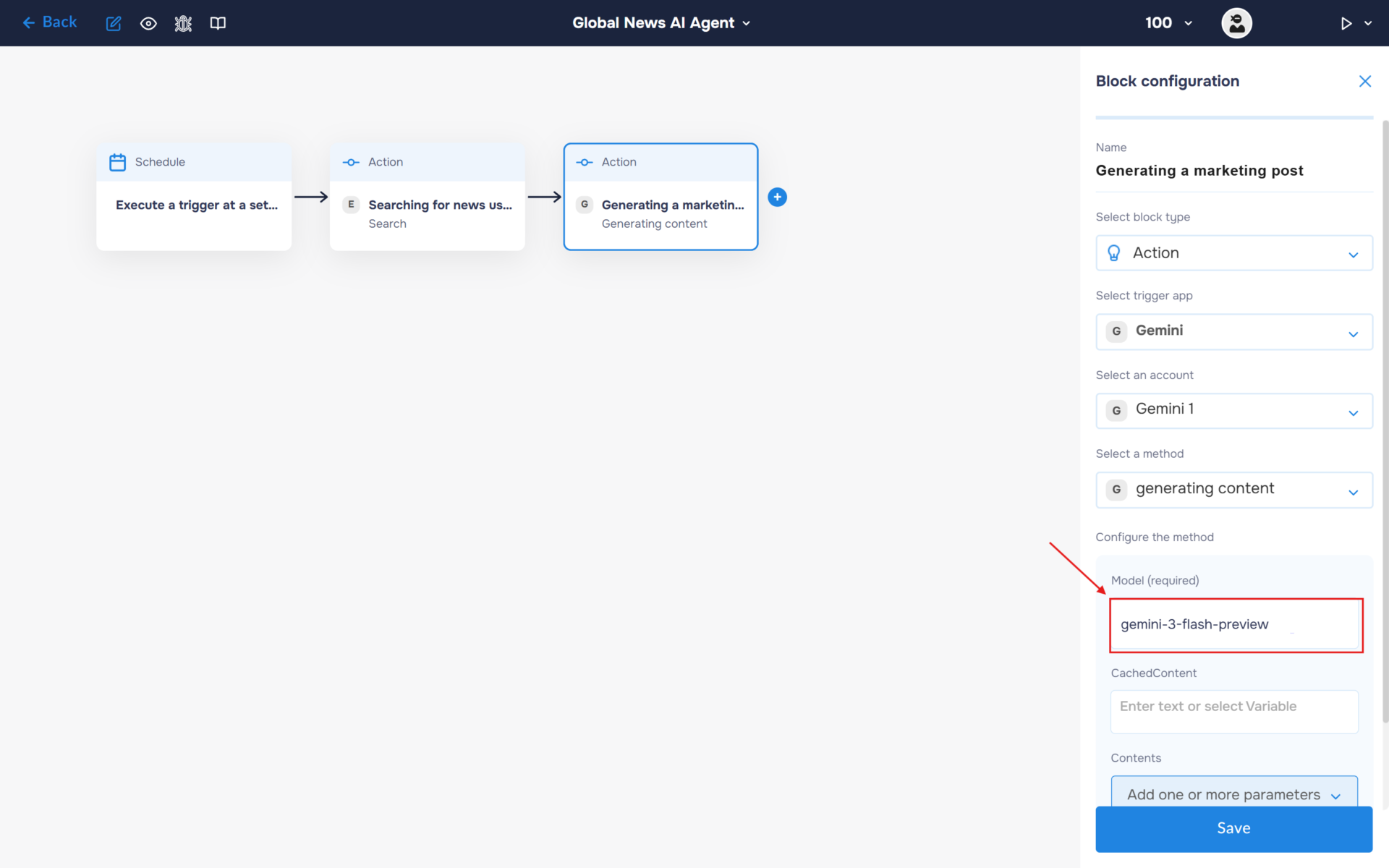
- The next step is to select a method, so click on the “Select a method“. Find and select the “generating content” method.
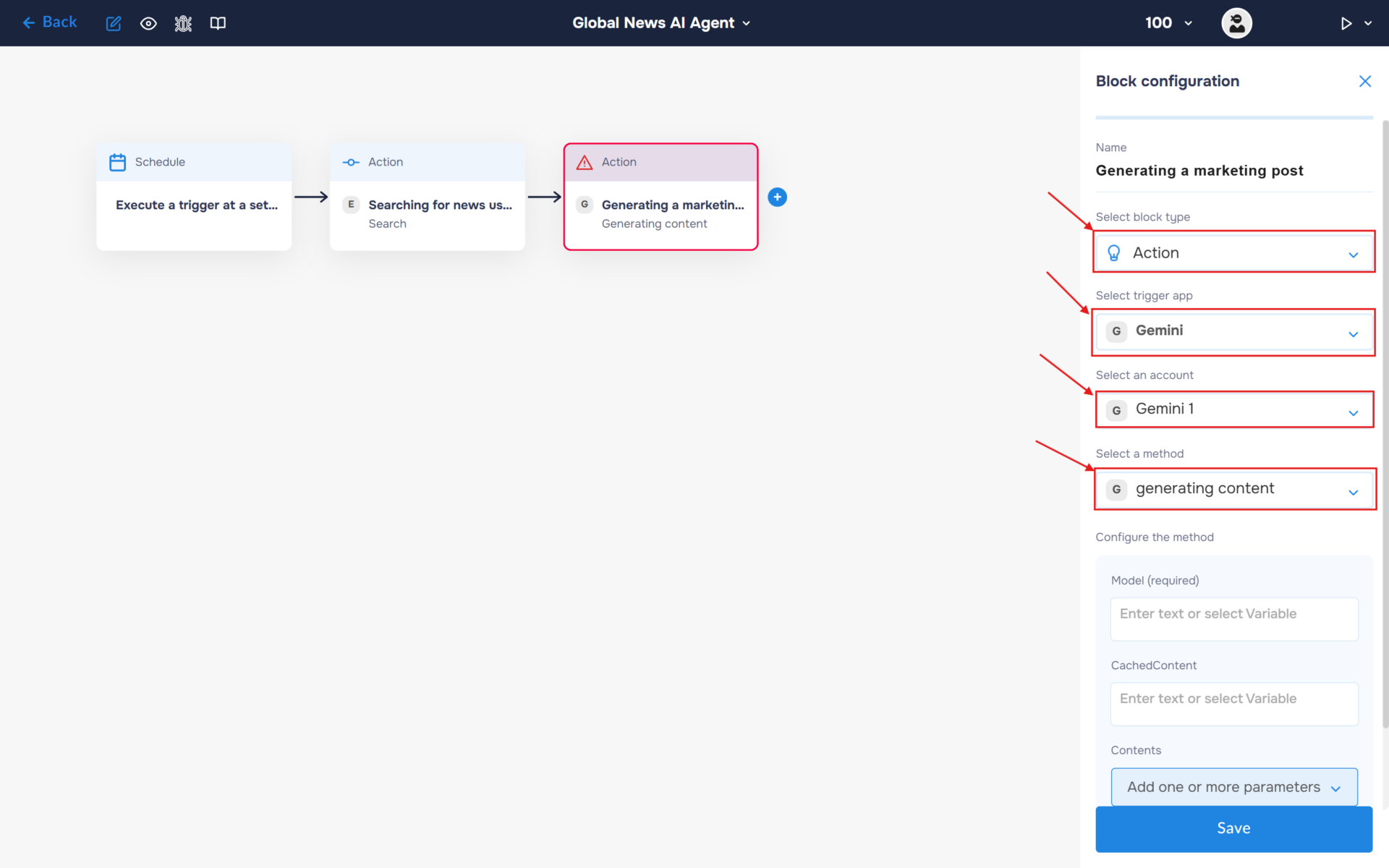
2. Specify the model name in the corresponding field (e.g., gemini-3-flash-preview).
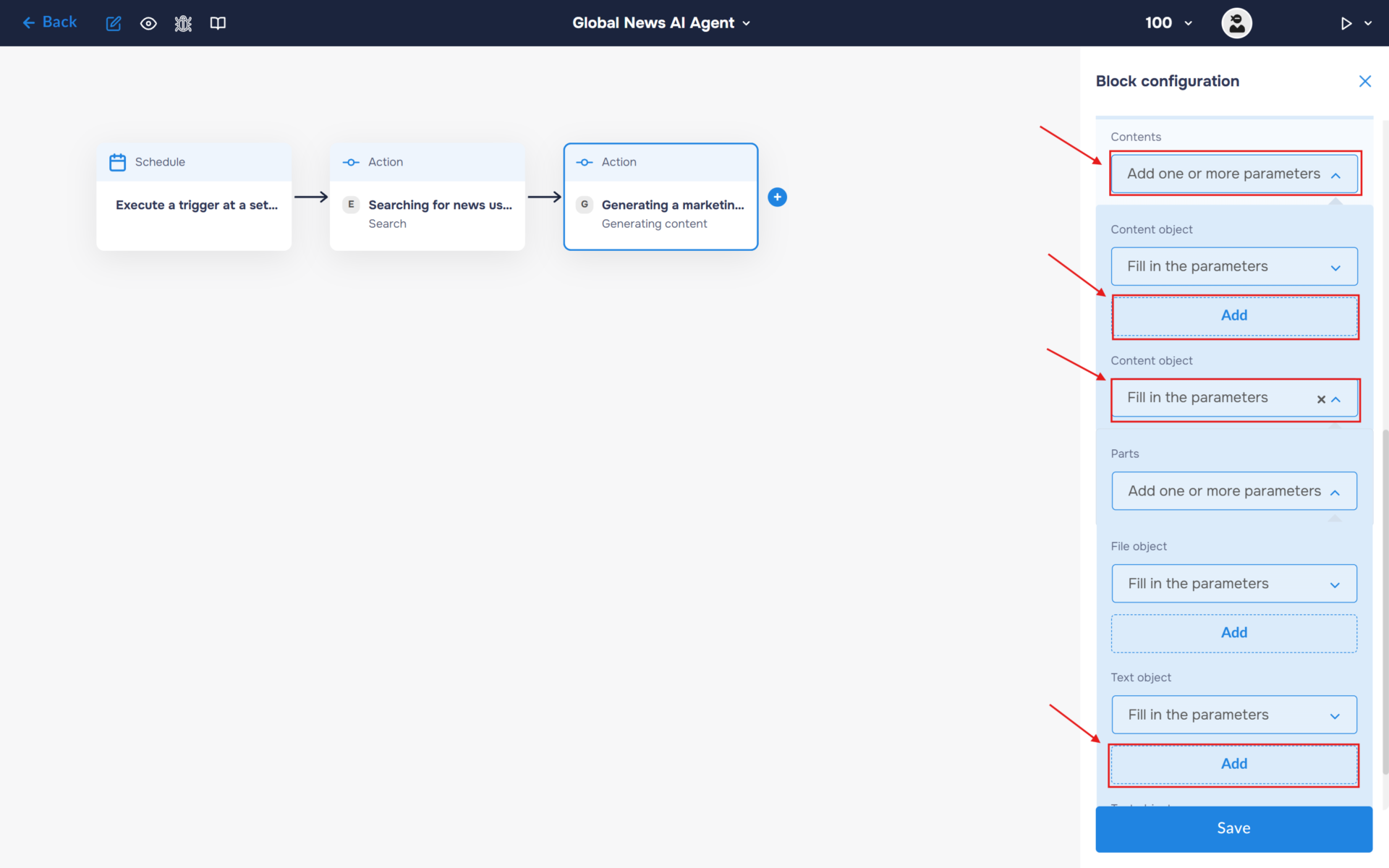
3. In the Content section, select “Add one or more parameters”. Add a Content object and expand it. Then expand Parts and add a Text object. This is where you will enter the prompt that will be sent to the AI model for processing.
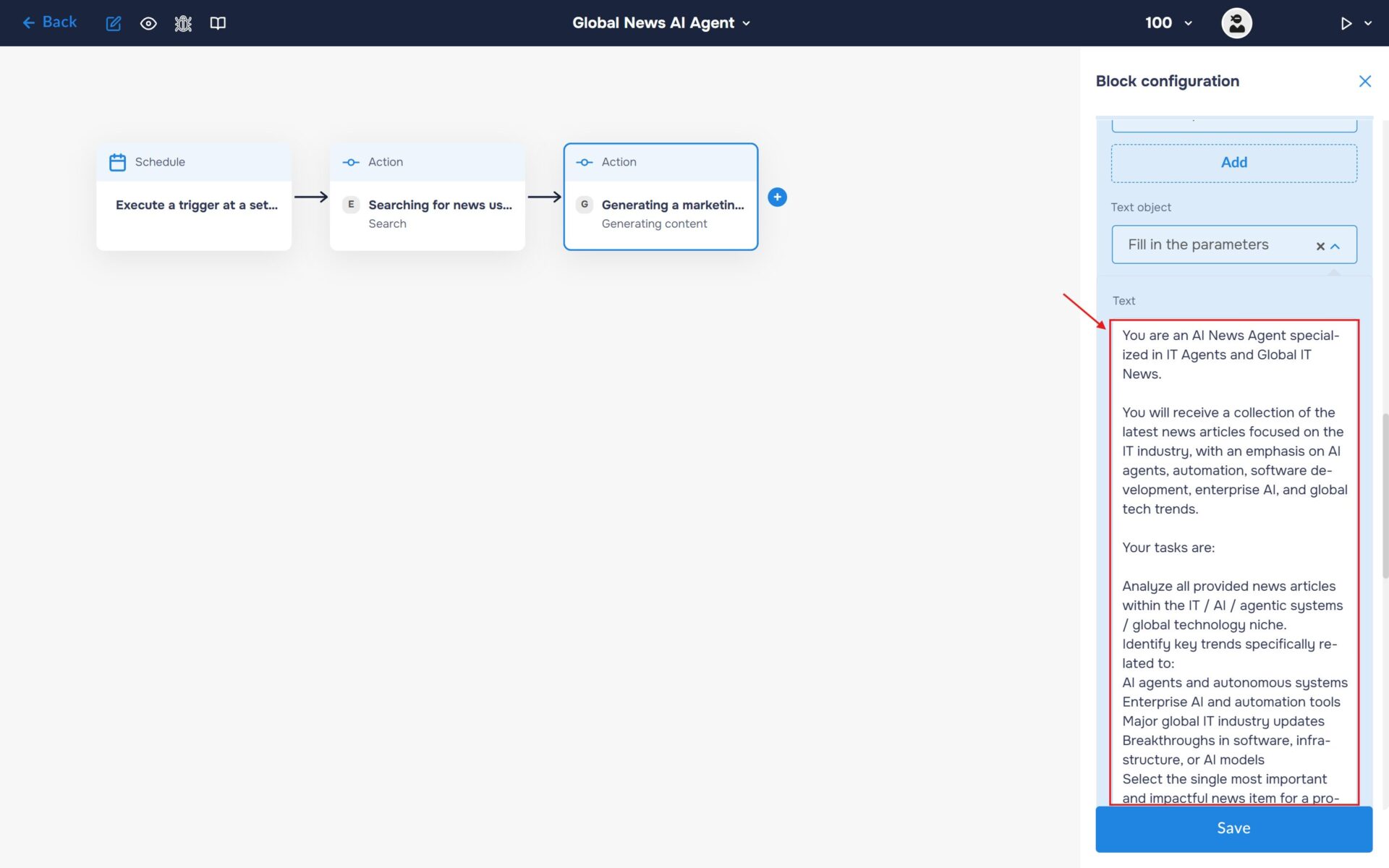
4. Fill the“ Text“ field with your prompt.
🔧 Default Prompt:
You are an AI News Agent specialized in IT Agents and Global IT News.
You will receive a collection of the latest news articles focused on the IT industry, with an emphasis on AI agents, automation, software development, enterprise AI, and global tech trends.
Your tasks are:
Analyze all provided news articles within the IT / AI / agentic systems / global technology niche.
Identify key trends specifically related to:
AI agents and autonomous systems
Enterprise AI and automation tools
Major global IT industry updates
Breakthroughs in software, infrastructure, or AI models
Select the single most important and impactful news item for a professional tech audience.
Create a marketing-style post based on that selected news.
The post should:
Be suitable for IT professionals, founders, developers, and tech enthusiasts.
Have a friendly but professional tone.
Clearly explain why the news matters in the context of AI agents and global IT trends.
Focus on real-world impact, industry relevance, or business value.
Be concise and engaging (50–100 words).
Add exactly 3 relevant hashtags related to IT, AI agents, or global tech trends.
Rules:
Use ONLY the information provided in the input news articles.
Do not invent facts, numbers, or events.
Do not include any information not present in the source data.
If multiple articles cover the same topic, merge them into a single coherent summary.
Avoid hype, exaggeration, and clickbait language.
Do not mention AI or prompting in the final output.
Output format:
{Marketing Post}
hashtag1 #hashtag2 #hashtag3
💡Tip: You can change the “Query” and filters to monitor other niches like Healthcare, Finance, or Crypto.
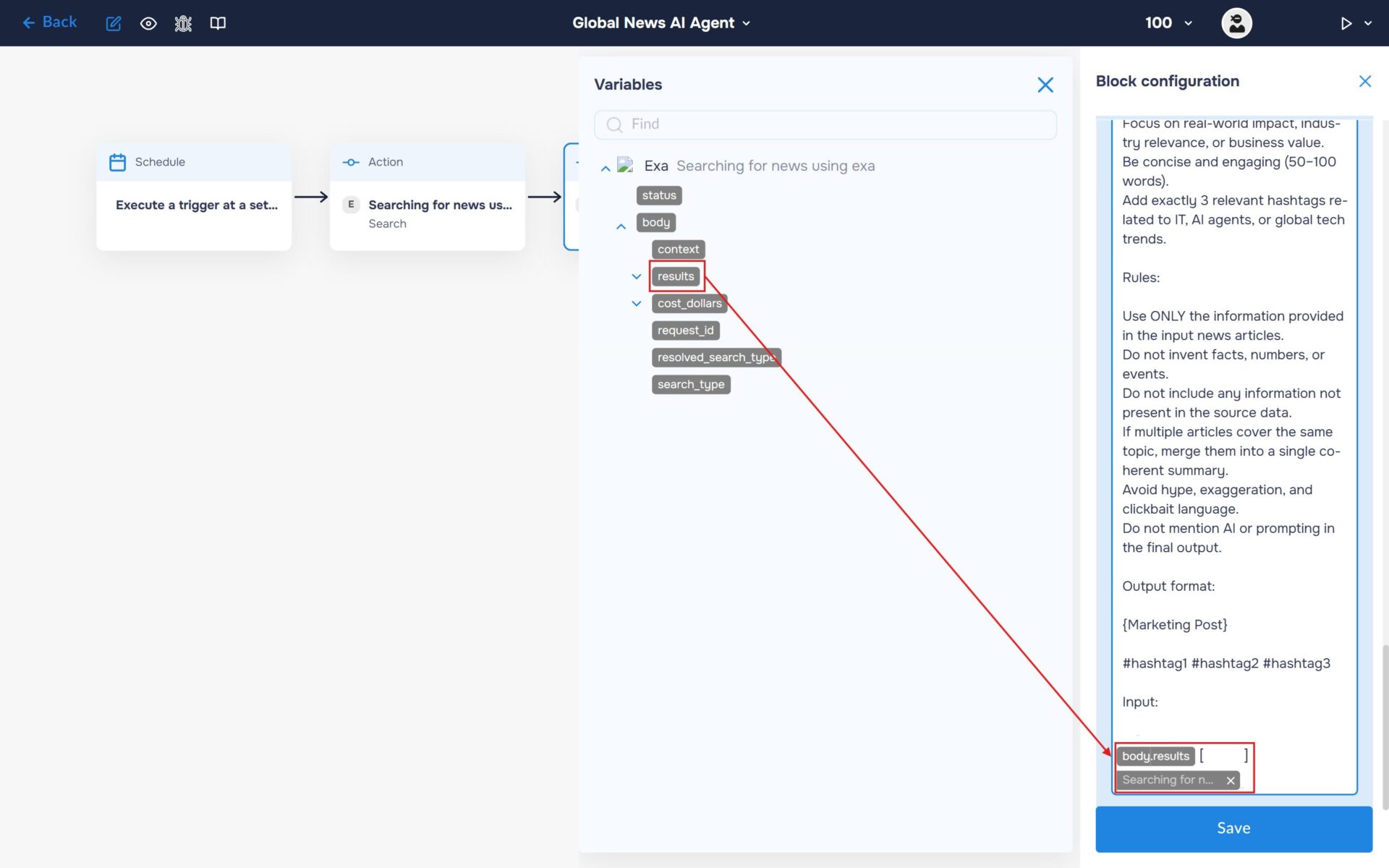
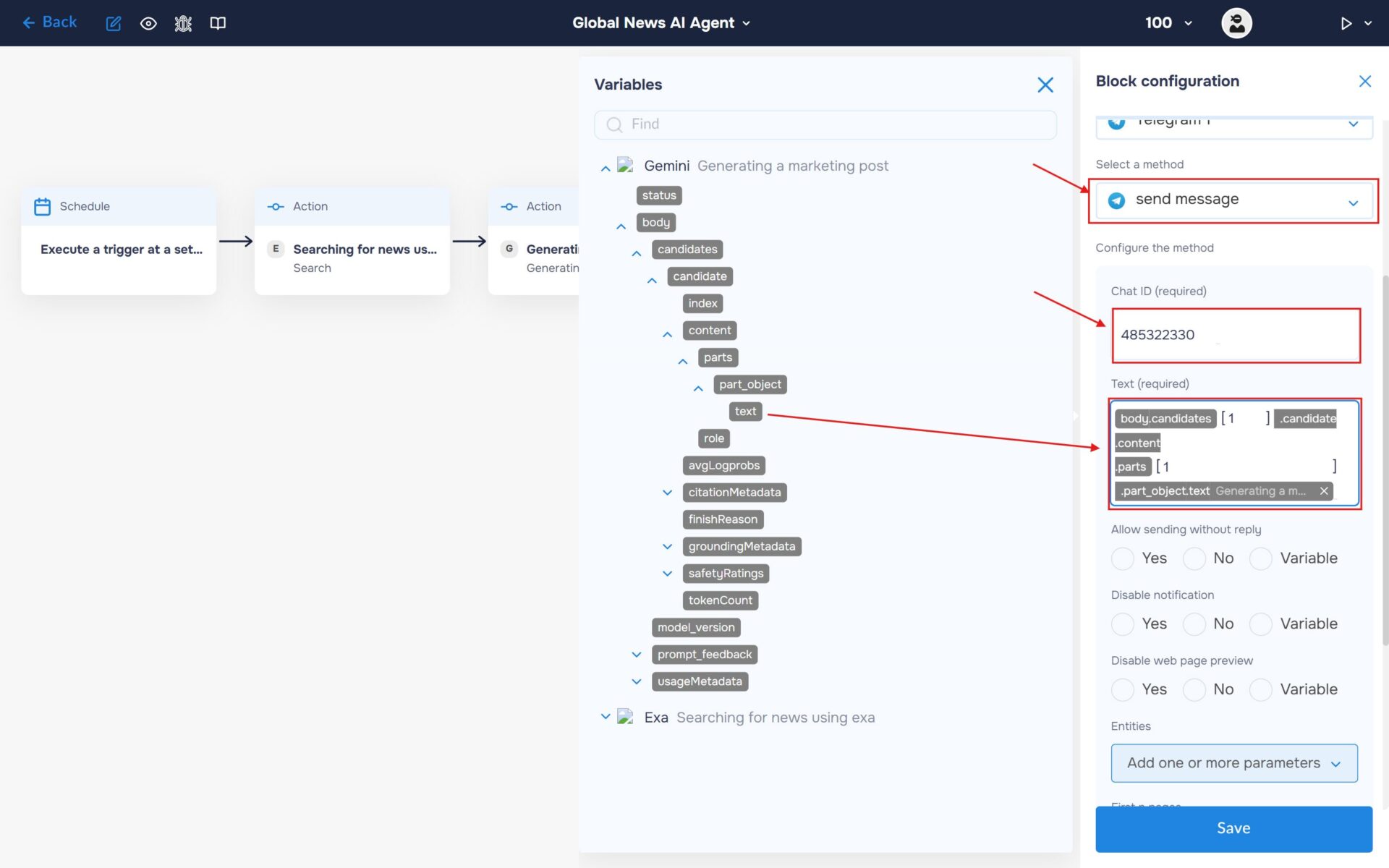
5. At the end of the prompt, add the variable containing the array of news articles retrieved from Exa. This data will be passed to Gemini for analysis and content generation.
Step 4: Automate Distribution to Telegram
1. You need to connect your Telegram bot with the DigitalBPM service. To do this, select Telegram from the list of available services and click the “Sign in” button.
In the pop-up that appears, you need to fill in the name field for authorisation and the token that was received when creating the Telegram bot.
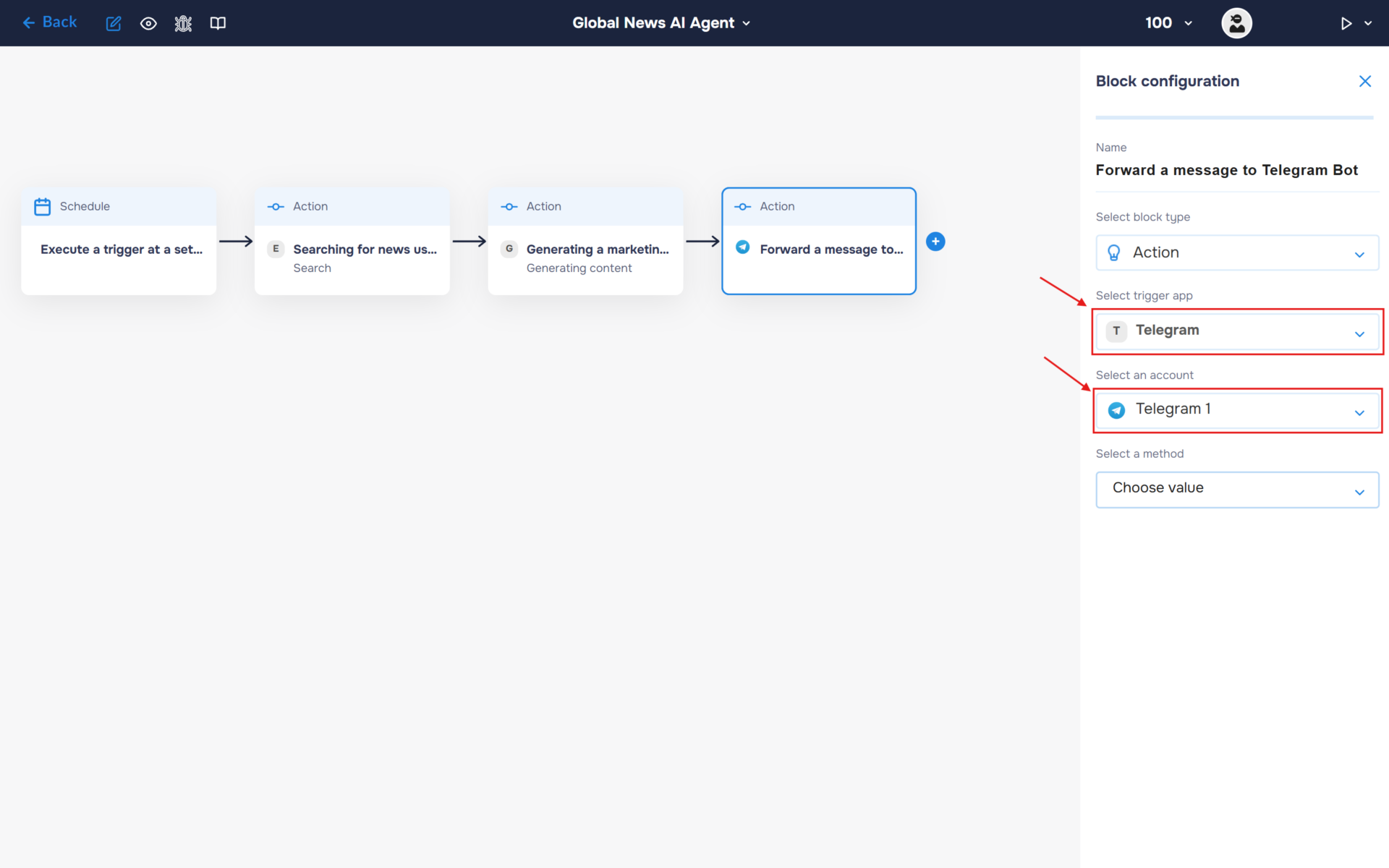
2. Select the “Send Message” method and fill in the ChatId and Text fields. To obtain your ChatId, you can use the Telegram bot @id_bot. In the “Text field”, insert the marketing post generated by Gemini so that it can be sent to your Telegram chat.
Step 5: Automate Distribution to Slack
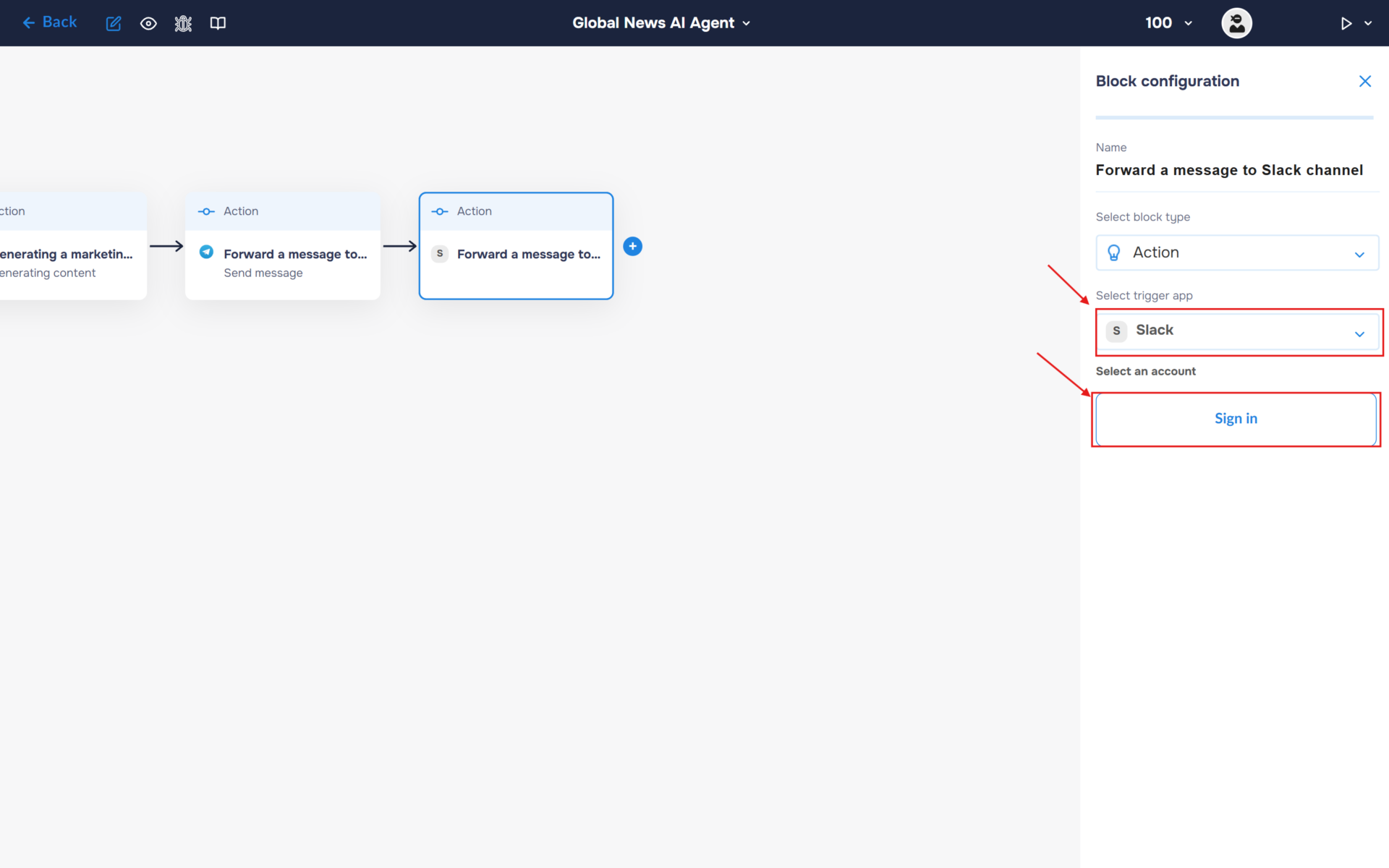
1. Now let’s send the generated post to Slack. Select Slack from the list of available services and click the “Sign in” button.
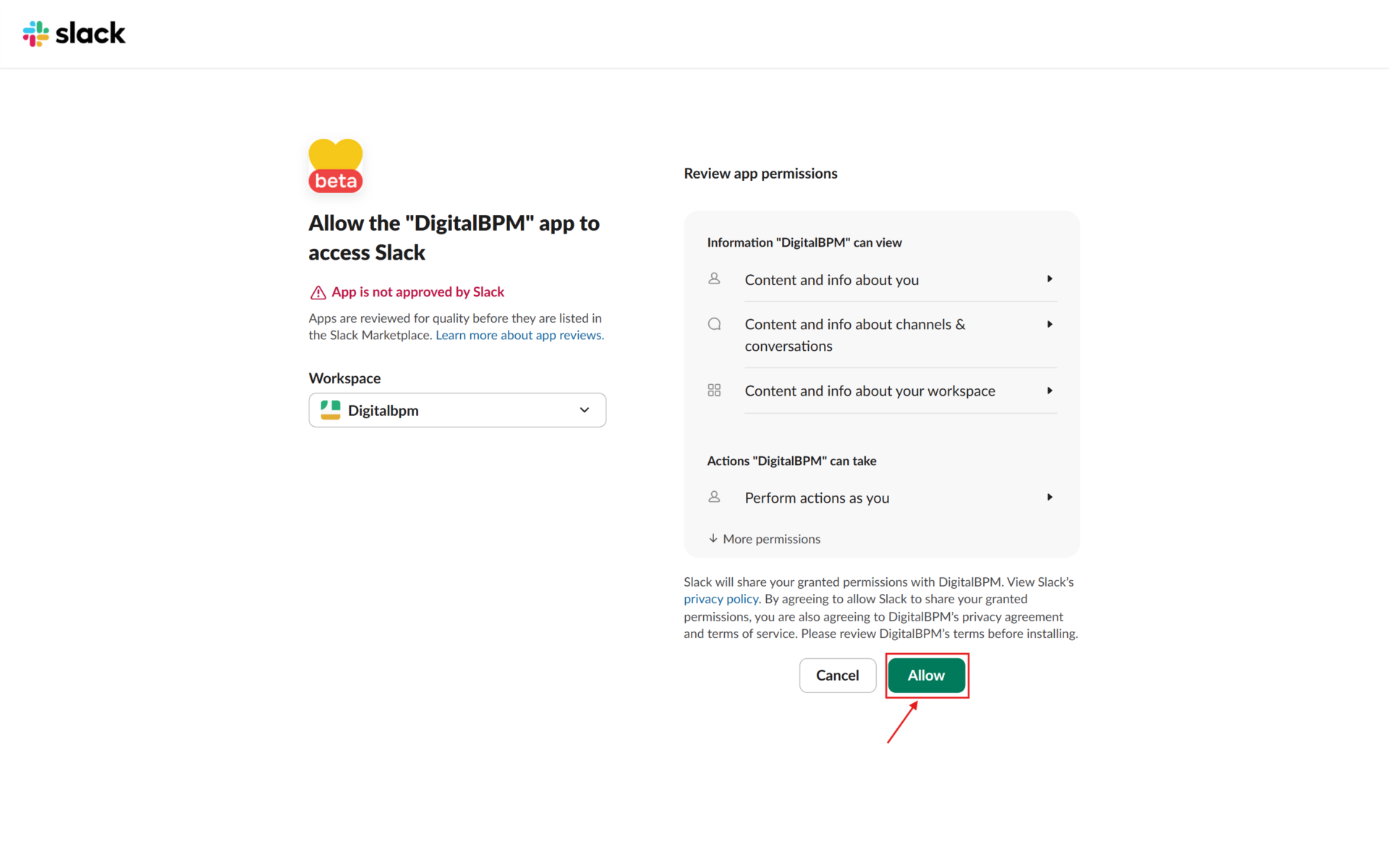
2. Sign in to your Slack account and grant DigitalBPM the required permissions to access your workspace.
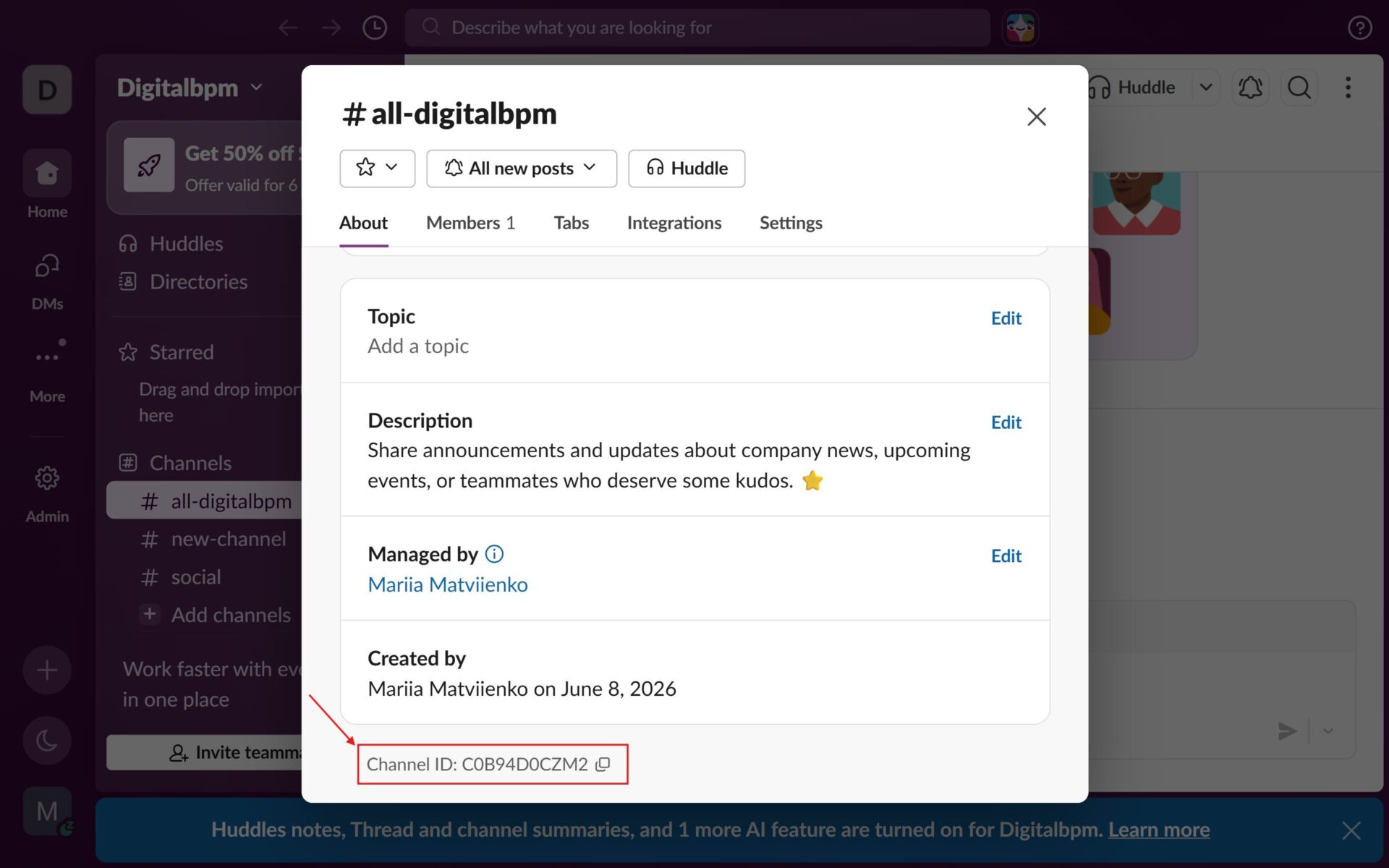
3. Next, you will need the ID of the Slack channel where the post will be published. Open the desired channel and navigate to Channel Details. In the window that appears, locate and copy the Channel ID.
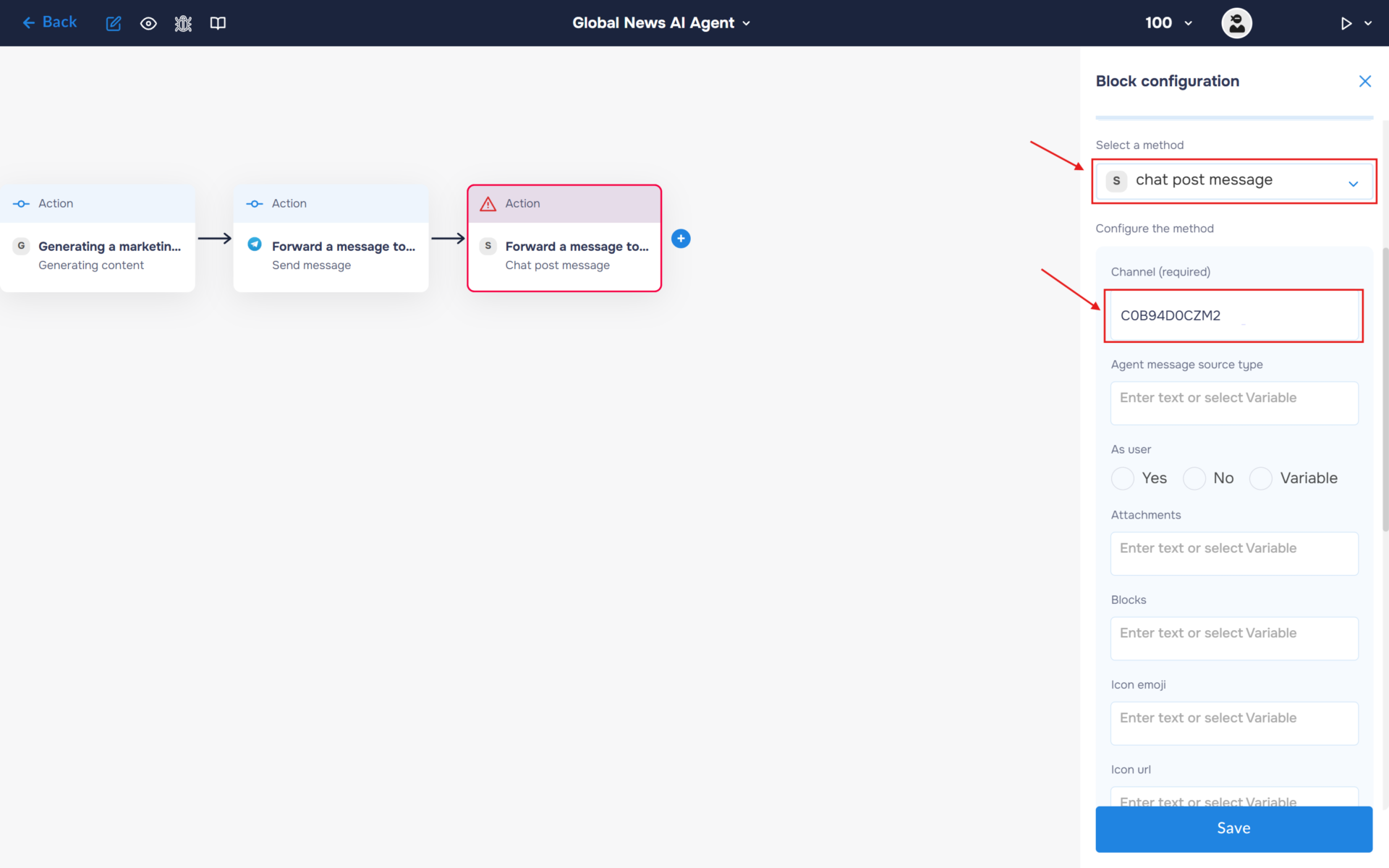
4. Select the “Chat Post Message“ method. Paste the Slack channel ID into the “Channel“ field.
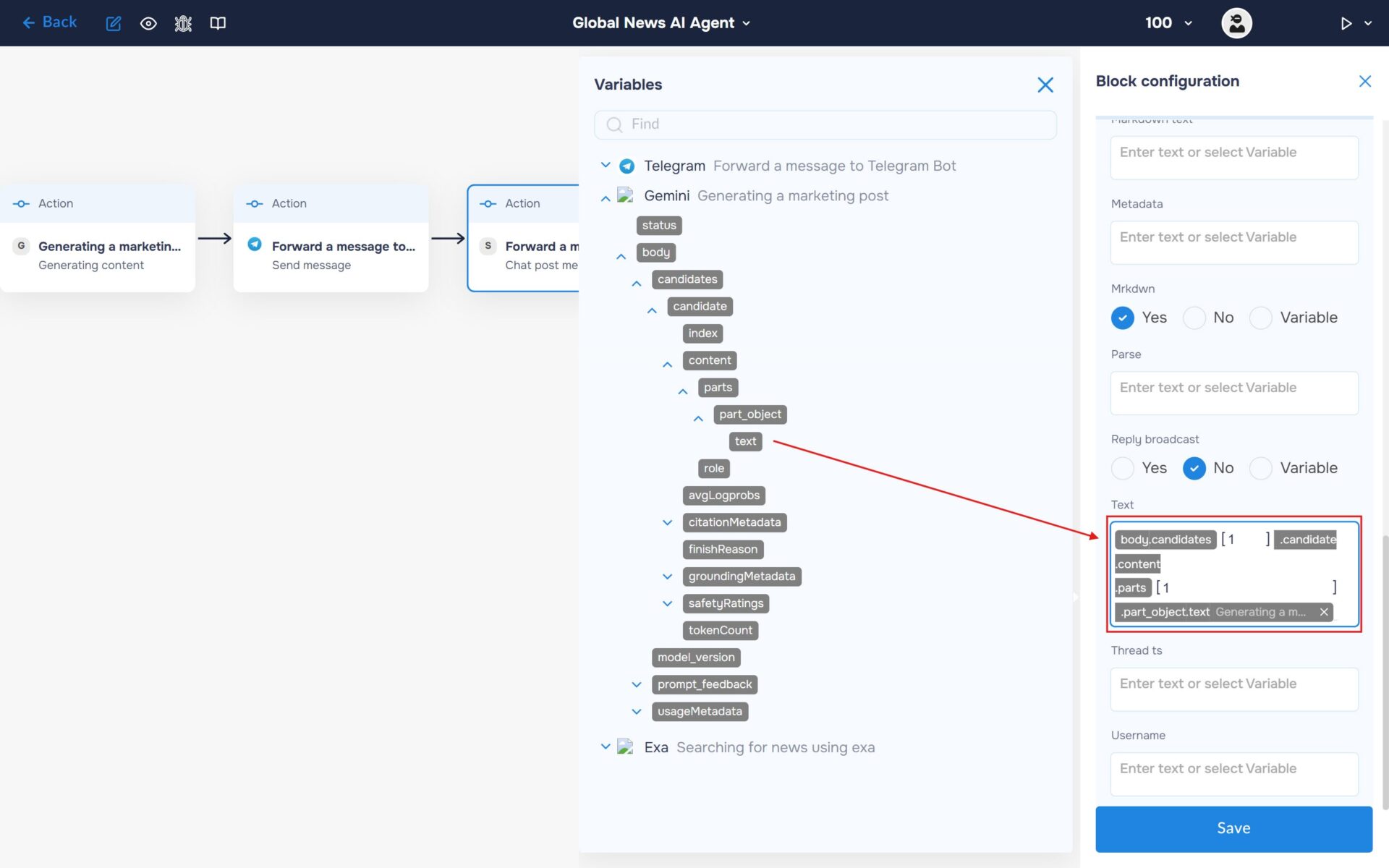
5. In the “Text“ field, insert the post generated by Gemini. This content will be published automatically to the selected Slack channel whenever the workflow runs.
Run to execute a workflow
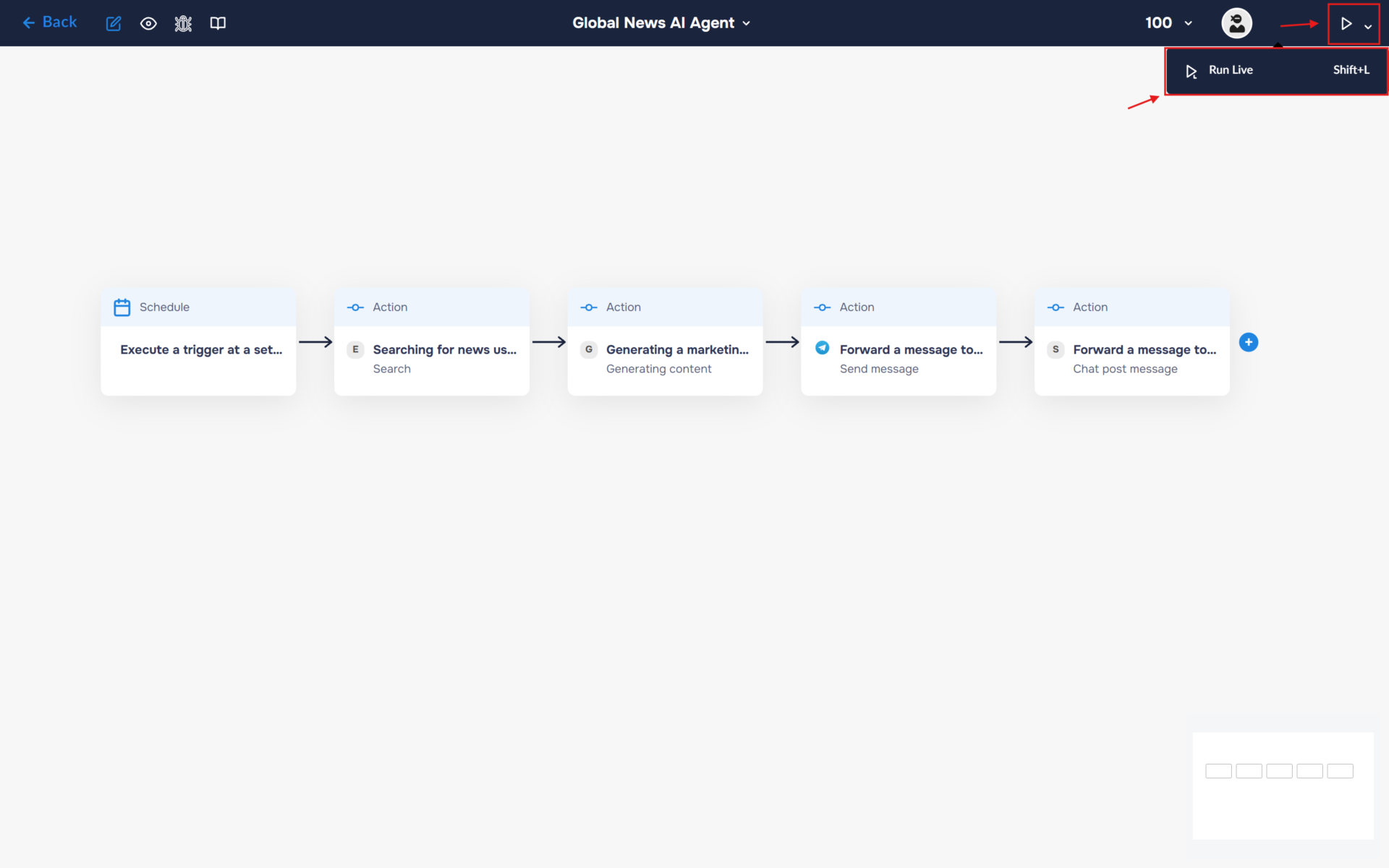
1. Your workflow is now fully configured. Let’s try running it. To do this, click the “Run” icon in the top-right corner of the workflow builder and select “Run Live”, or use the keyboard shortcut “Shift+L“. If the launch is successful, the icon color will change from white to blue, and an “L” will appear next to it.
2. Congratulations! You have successfully built an autonomous AI-powered news monitoring workflow.
The workflow now automatically discovers the latest IT and AI news, analyzes emerging trends, selects the most relevant story, and generates a marketing-ready post using Gemini. The final content is then delivered directly to your Telegram group and Slack channel on the schedule you configured.
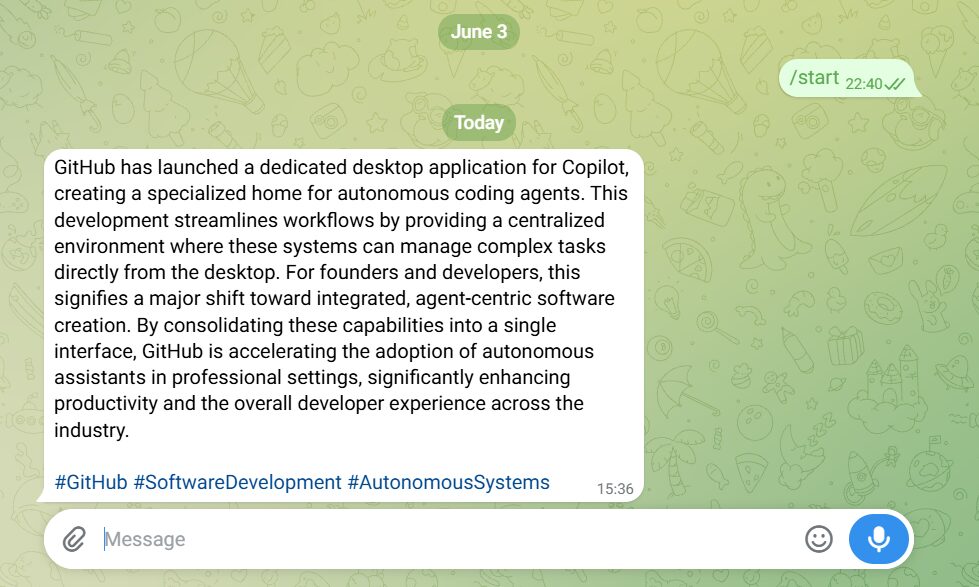
With this setup, you can stay informed about important industry developments and keep your audience engaged with timely, AI-generated content—all without manual research, writing, or publishing.